Space.
Space.
Space.
Space.
| Tips on Creating Panoramic Photos for Day and Night Scenes! |
|
Space. |
|
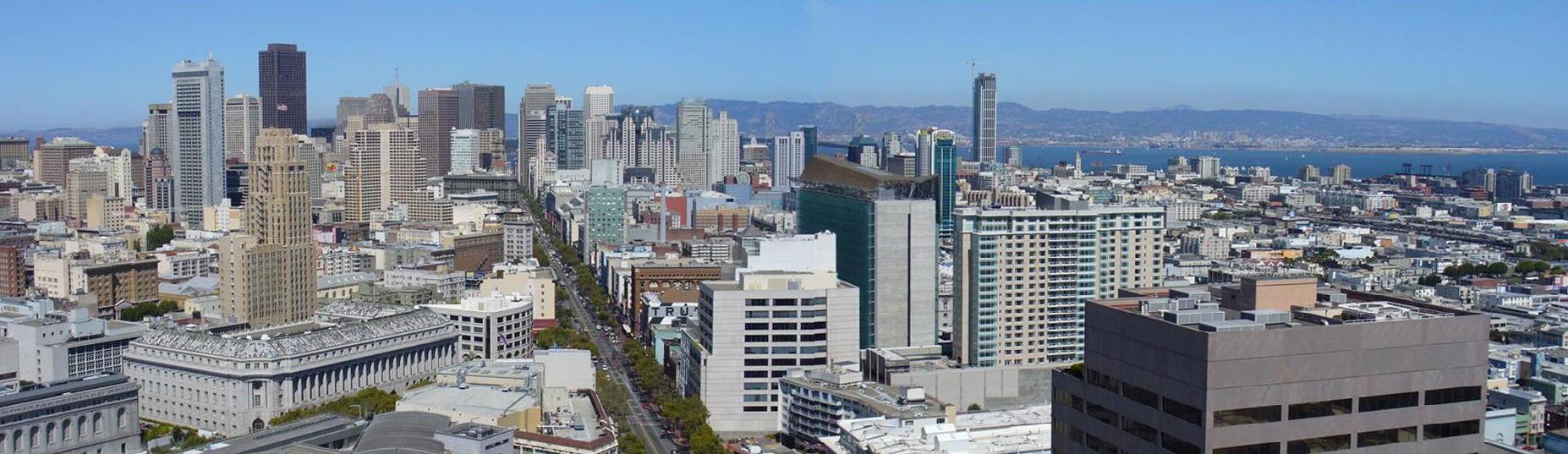
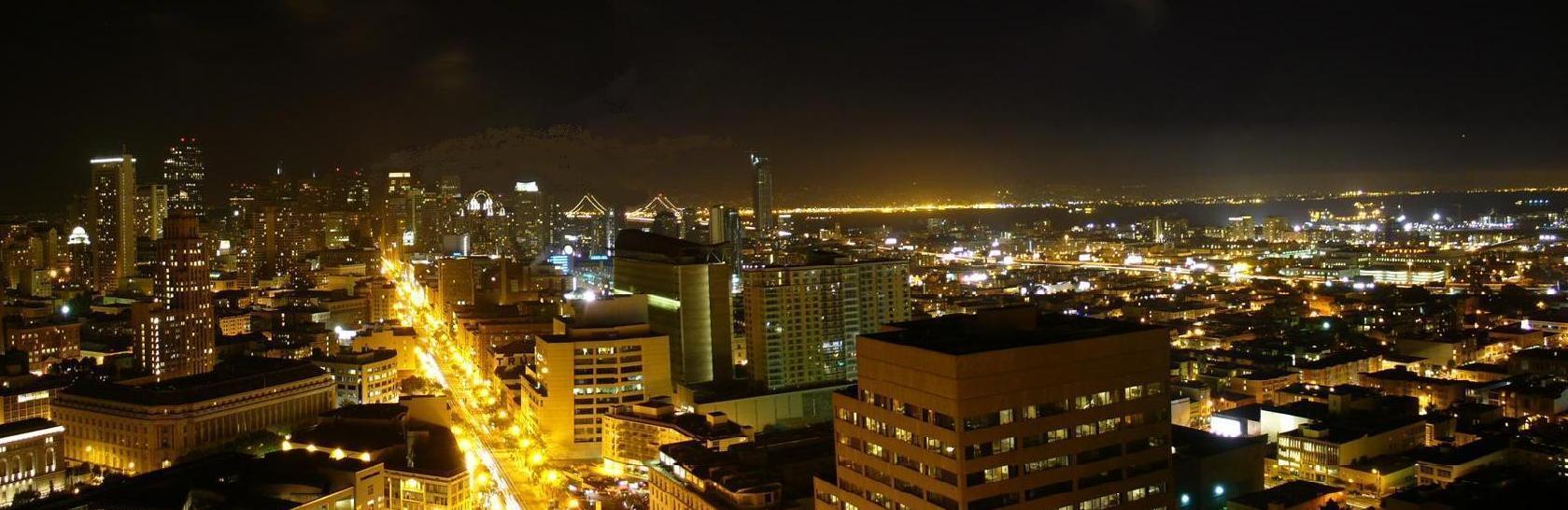
I have a new Panasonic Lumix 6.0 Mega Pixels and an Optical Zoom of 6x. I bought it for my trip to Vietnam and Cambodia this spring. At the end of August I decided to try and take some more photos of my view of San Francisco from my living and bedroom apartment on the 28th floor of Fox Plaza in downtown San Francisco. I found I have a panoramic scene mode (Aspect Ratio of 16:9) and only needed to take two photos to complete a full display of the view. I then straightened the two photos vertically with Photo Shop so they would match. I selected the same building in both photos and made sure the sides were perfectly vertical - or as close as possible. I then used Paint and opened the first photo and then extended the horizontal and width attribute so there was blank space for the second photo - and then copied the second photo and pasted it next to the first one. Then I selected the entire new photo and positioned it in the final format and saved it! I then used the air brush tool to wipe away the line caused by the differing color of the sky in one photo and the second one. And then another Save of course! Not too bad! But then of course, the night photos! I first took the night photo on the Night Scenery mode and the Aspect Ratio of 16:9 for panoramic rather than the usual 4:4 for normal sized photos. The Night Scenery mode opens the lens for about eight seconds. Caution! If the camera isn't stable, there will be blurring! So the first set of photos for the night scene were blurred. I was unhappy! The next day I thought, "Why not use the timer!" Duh.... So I setup the camera again on the Night Scene and Panoramic and then after locating the view I wanted in the LCD, I selected the timer on the back of the camera. So all I had to do was to press the shutter button and stand back. I did not touch the camera until I was sure it had taken the photo and closed down. Voila, no shaking or blurring! As you can see, I think the results are great! |
|
Space. |
|
Space. |
|
|
Space. |
|
|
Space. |
|
Space. |
| Return to Chuck's Home Page |